
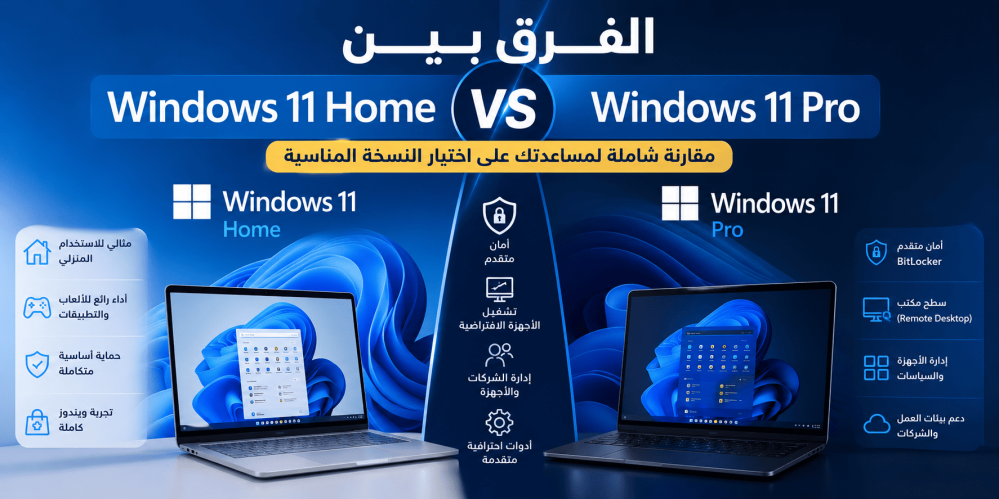
The reader wants to understand the differences between Windows 11 Home and Windows 11 Pro before purchasing or upgrading to the most suitable edition.
Windows 11 Home vs Pro: What's the Difference?
Choosing the right edition of Windows 11 can be confusing, especially when both Windows 11 Home and Windows 11 Pro look almost identical at first glance.
Both editions share the same modern interface, excellent performance, and regular security updates. However, Windows 11 Pro includes several advanced features designed for professionals, businesses, developers, and power users.
In this comprehensive guide, we'll compare Windows 11 Home and Windows 11 Pro feature by feature, helping you decide which version best suits your needs.
What Is Windows 11 Home?
Windows 11 Home is Microsoft's standard edition designed for everyday users.
It includes everything most people need for:
- Web browsing
- Office work
- Online meetings
- Gaming
- Streaming
- School and university
- Home productivity
If you mainly use your PC for personal tasks, Windows 11 Home offers a complete and reliable experience.
Key Features of Windows 11 Home
Windows 11 Home includes:
- Modern Windows 11 interface
- Microsoft Store
- Windows Security
- Windows Hello
- Snap Layouts
- Widgets
- DirectX 12
- Auto HDR
- Game Mode
- Support for multiple monitors
- Regular Microsoft security updates
For most home users, these features are more than enough for daily computing.
What Is Windows 11 Pro?
Windows 11 Pro is built upon everything available in Windows 11 Home while adding professional-grade security and management tools.
It is intended for:
- Business professionals
- Developers
- IT administrators
- Remote workers
- Small and medium businesses
- Advanced PC users
The additional features make it easier to secure devices, manage multiple computers, and work efficiently in professional environments.
Key Features of Windows 11 Pro
Windows 11 Pro includes everything found in Home, plus:
- BitLocker Drive Encryption
- Remote Desktop Host
- Hyper-V Virtualization
- Windows Sandbox
- Group Policy Editor
- Domain Join
- Azure Active Directory support
- Assigned Access
- Mobile Device Management (MDM)
- Enterprise-grade security tools
These features are especially valuable for business environments and advanced users.
Windows 11 Home vs Pro Comparison
| Feature | ||
| Everyday Use | Windows 11 Home | Windows 11 Pro |
| Gaming | ✅ | ✅ |
| Microsoft Store | ✅ | ✅ |
| Windows Hello | ✅ | ✅ |
| Windows Security | ✅ | ✅ |
| BitLocker | ❌ | ✅ |
| Remote Desktop Host | ❌ | ✅ |
| Hyper-V | ❌ | ✅ |
| Windows Sandbox | ❌ | ✅ |
| Group Policy | ❌ | ✅ |
| Domain Join | ❌ | ✅ |
| Business Device Management | ❌ | ✅ |
Major Differences Between Windows 11 Home and Pro
1. Security
One of the biggest differences is security.
Windows 11 Home includes Microsoft Defender Antivirus, Firewall, SmartScreen, and Windows Security, providing excellent protection for everyday users.
Windows 11 Pro adds BitLocker Drive Encryption, which encrypts your entire storage drive.
If your laptop is lost or stolen, BitLocker helps prevent unauthorized access to your personal or business data.
For professionals handling sensitive information, BitLocker is one of the most valuable reasons to choose Windows 11 Pro.
2. Remote Desktop
Many professionals need remote access to their work computer.
Windows 11 Home allows users to connect to another PC using Remote Desktop Client, but it cannot act as a host.
Windows 11 Pro includes Remote Desktop Host, allowing you to securely access your computer from another device.
This feature is particularly useful for remote employees, IT administrators, and business owners.
3. Virtual Machines
Developers and IT professionals often need to test software or operating systems without affecting their primary installation.
Windows 11 Pro includes Hyper-V, Microsoft's built-in virtualization platform.
It also includes Windows Sandbox, which creates a temporary isolated environment where you can safely test unknown applications.
Neither of these features is available in Windows 11 Home.
4. Business Management
Windows 11 Pro offers advanced management tools for organizations.
These include:
- Group Policy
- Domain Join
- Azure Active Directory
- Mobile Device Management
These tools allow IT departments to manage multiple computers efficiently, enforce security policies, and deploy configurations across an organization.
Windows 11 Home is designed for individual users and does not include these enterprise features.
5. Performance
A common misconception is that Windows 11 Pro is faster than Windows 11 Home.
In reality, both editions deliver nearly identical performance when running on the same hardware.
Whether you're browsing the web, editing documents, streaming videos, or multitasking, performance remains virtually the same.
The primary difference lies in the additional business and security features—not speed.
Is Windows 11 Pro Better for Gaming?
No.
Gamers will experience almost identical performance on both editions.
Features such as:
- DirectX 12
- Auto HDR
- Game Mode
- DirectStorage (supported hardware)
are available on both Windows 11 Home and Windows 11 Pro.
Gaming performance depends far more on your CPU, GPU, RAM, and SSD than on the Windows edition itself.
If you're planning to take advantage of advanced features like BitLocker, Hyper-V, Remote Desktop, and enhanced business management tools, using a genuine Windows 11 Pro Retail license ensures full access to Microsoft's latest security updates and professional capabilities.
Recommended Product
Windows 11 Pro Retail