
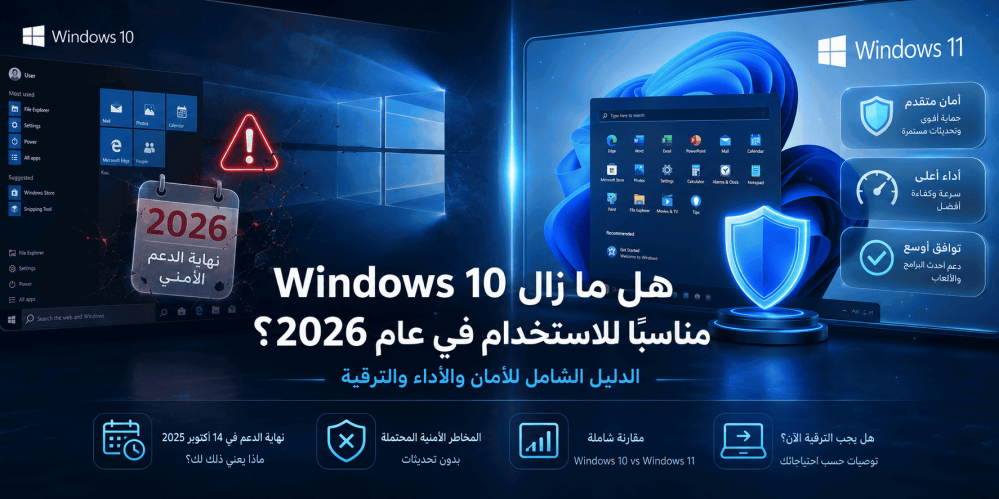
Is Windows 10 Still Suitable for Use in 2026?
Introduction
Since its launch in July 2015, Windows 10 remained the most widely used operating system in the world for many years. With the end of official support from Microsoft in October 2025, many users are asking a fundamental question: Is Windows 10 still suitable in 2026? And can it be relied upon for daily tasks, work, study, and gaming?
The truth is that the answer is not a simple yes or no. It depends on several factors, including: the type of device you use, the nature of your usage, your awareness of cybersecurity risks, and your budget. In this comprehensive guide, we will discuss everything you need to know about using Windows 10 in 2026, from the official support status, through a comparison with Windows 11, to practical recommendations that help you make the right decision.
Whether you are considering buying a genuine copy of Windows 10 Home for an older device, wondering whether you should upgrade to Windows 11, or looking for ways to keep your system secure after support ends, this article was written specifically for you.
Windows 10 Support Status in 2026
To understand how suitable Windows 10 is in 2026, we must first clarify the official support status from Microsoft.
End of Mainstream Support
Microsoft ended mainstream support for Windows 10 on October 14, 2025. This means that:
- Monthly security updates for Home and Pro editions have stopped.
- Cumulative updates that used to patch security vulnerabilities have stopped.
- Free technical support from Microsoft has stopped.
- Feature updates have stopped completely.
What Does "End of Support" Mean Practically?
When we say support has ended, this does not mean that Windows 10 will suddenly stop working. The operating system will continue to boot and function normally. However, the fundamental difference is that any security vulnerability discovered after October 2025 will not be patched for regular users. This opens the door to real risks:
- Ransomware attacks that exploit unpatched vulnerabilities.
- Malware targeting unupdated systems.
- Theft of personal data through browser or network vulnerabilities.
- Compromise of banking accounts and social media accounts.
Extended Security Updates (ESU) Program
Microsoft launched the Extended Security Updates (ESU) program, which allows organizations and businesses to receive paid security updates for up to three additional years after support ends. However, this program:
- Is aimed at businesses and organizations, not individual users.
- Is financially costly, with the cost increasing annually.
- Is not directly available for Windows 10 Home edition.
Important Note: If you are a home user using Windows 10 Home, you are outside the scope of official security coverage from Microsoft in 2026, unless you are subscribed to the ESU program through an employer or educational institution.
Does Windows 10 Still Receive Security Updates in 2026?
The short answer: No, not for regular users.
The detailed answer:
User TypeSecurity Update Status in 2026 Home User (Windows 10 Home)❌ No free security updatesHome User (Windows 10 Pro)❌ No free security updatesBusinesses & Organizations (ESU)✅ Paid security updatesEducation Sector (ESU)✅ Paid security updatesGovernment Devices (ESU)✅ Paid security updatesWhat About Microsoft Defender?
Even after support ends, Microsoft will continue to update Microsoft Defender Antivirus (the built-in antivirus program) for a limited period. However, antivirus updates alone are not enough to close security gaps at the level of the system kernel, network protocols, and core Windows components.
Windows 10 vs Windows 11: A Comprehensive Comparison
To understand whether Windows 10 is still suitable, let us compare it directly with Windows 11 across several key aspects.
Interface and User Experience
AspectWindows 10Windows 11 Start MenuClassic design with Live TilesCentered, simplified design without Live TilesTaskbarFully customizableLimited customization, fixed at the bottomWindow SnappingBasic Snap AssistAdvanced Snap LayoutsNotificationsSeparate Action CenterIntegrated Notification Center and CalendarOverall InterfaceSharp corners, familiar designRounded corners, modern designConclusion: Windows 10 features a familiar and stable interface that users know well. Windows 11 offers a more modern design but requires time to adapt.
Performance and Speed
In terms of performance, the differences are not drastic but are noticeable in some scenarios:
- Memory Management: Windows 11 features better RAM management, giving it an advantage in multitasking.
- Processor Scheduling: Windows 11 better utilizes Intel 12th generation and newer processors (Hybrid Architecture) thanks to Thread Director technology.
- Gaming: Windows 11 supports DirectStorage and Auto HDR technologies, giving it a slight edge in modern games.
- Older Devices: Windows 10 performs better on devices with modest specifications and older processors.
Hardware and Software Compatibility
This point is crucial in the decision to stay on Windows 10:
Strict Windows 11 Requirements:
- Intel 8th generation or AMD Ryzen 2000 processor or newer
- At least 4GB RAM
- At least 64GB storage
- TPM 2.0 support
- Secure Boot support
- DirectX 12 compatible graphics card with WDDM 2.0
The harsh reality: Millions of devices around the world do not meet these requirements, especially the TPM 2.0 requirement. These devices cannot officially upgrade to Windows 11, making Windows 10 the only available option.
Security and Protection
This is the most important point in the comparison:
Security FeatureWindows 10Windows 11 Monthly Security Updates❌ Stopped (for regular users)✅ OngoingTPM 2.0 Mandatory❌ Not required✅ RequiredSecure Boot Mandatory❌ Not required✅ RequiredVirtualization-Based Security⚠️ Optional✅ Enabled by defaultMicrosoft Defender✅ Limited updates✅ Full updatesSmart App Control❌ Not available✅ AvailableThe clear conclusion: From a security standpoint, Windows 11 significantly outperforms in 2026, not only because of ongoing updates but also because of the more stringent security architecture from the ground up.
Advantages of Continuing to Use Windows 10 in 2026
Despite all of the above, there are still valid reasons why some users hold on to Windows 10:
1. Compatibility with Older Hardware
If your device does not meet Windows 11 requirements—especially the TPM 2.0 requirement—you are forced to stay on Windows 10. Buying a new device just to run Windows 11 may not be an option available to everyone.
2. System Stability and Reliability
Windows 10 is a mature and stable system. After years of updates and improvements, it has become a system that can be relied upon in sensitive work environments. Many companies and organizations still prefer Windows 10 for this very reason.
3. Familiar Interface with No Learning Curve
Users who have spent years with Windows 10 know every corner of it. Upgrading to Windows 11 means relearning the locations of settings, menus, and ways to access features. For non-technical users, this can be a real barrier.
4. Legacy Software Compatibility
Some specialized software—especially in engineering, medical, and industrial fields—may not work perfectly on Windows 11. If you rely on a specific program that does not officially support Windows 11, staying on Windows 10 is the safe choice.
5. Lower Resource Consumption
Windows 10 is relatively lighter than Windows 11 in terms of system resource consumption. On devices with modest specifications, the performance difference can be noticeable.
6. Economic Cost
If you already own a genuine Windows 10 license, there is no need to purchase a new license. And if you are considering buying a genuine copy, Windows 10 Home is still available at reasonable prices compared to the cost of buying a new device with Windows 11.
Disadvantages and Risks of Using Windows 10 in 2026
It cannot be denied that using Windows 10 in 2026 carries real risks that you must be fully aware of:
1. Unpatched Security Vulnerabilities
This is the biggest risk. Every day that passes after support ends increases the likelihood of known and unpatched security vulnerabilities in your system. Hackers specifically target unupdated systems because they are easier to breach.
2. Gradual Incompatibility with Modern Software
Over time, modern programs and applications will begin to drop support for Windows 10. Web browsers, productivity software, design programs, and games will eventually require Windows 11 as a minimum.
3. Absence of New Features
You will not receive any of the new features that Microsoft develops. All future innovations—whether in artificial intelligence, security, or productivity—will be exclusive to Windows 11 and beyond.
4. Compatibility Issues with New Peripherals
New printers, scanners, cameras, and peripheral devices may not provide drivers compatible with Windows 10 in the near future.
5. Legal and Regulatory Compliance
If you use Windows 10 in a work environment, you may face compliance issues with regulatory standards such as HIPAA, GDPR, or PCI-DSS, as these standards require the use of security-supported systems.
6. Lack of Modern Browser Support
Browsers like Google Chrome and Microsoft Edge will continue to support Windows 10 for a limited period after support ends, but this support will eventually end, leaving you stuck between an outdated, insecure browser or an unsupported operating system.
Which Users Is Windows 10 Still Suitable For?
Based on the previous analysis, we can identify the categories for which Windows 10 remains a logical choice in 2026:
✅ Suitable For:
- Owners of older devices that do not support TPM 2.0 and cannot upgrade to Windows 11.
- Users on a limited budget who cannot afford to buy a new device.
- Companies and organizations that have specialized software incompatible with Windows 11.
- Users not connected to the internet or connected to isolated, secure networks.
- Lab devices and dedicated machines that perform a single function and do not browse the internet.
- Users subscribed to the ESU program through their organizations.
❌ Not Suitable For:
- Users who handle sensitive data (banking, health, legal).
- Users who browse the internet daily and open email attachments.
- Companies that need regulatory compliance.
- Gamers who want the latest gaming technologies.
- Anyone who owns a modern device that supports Windows 11.
Should You Upgrade to Windows 11? A Decision-Making Guide
Here is a simple decision tree to help you make the choice:
- Does your device officially support Windows 11?
- ✅ Yes → Go to question 2
- ❌ No → Stay on Windows 10 with maximum security precautions, or consider buying a new device
- Do you use specialized software incompatible with Windows 11?
- ✅ Yes → Stay on Windows 10 temporarily, and look for compatible alternatives
- ❌ No → Go to question 3
- Are you comfortable with the idea of learning a new interface?
- ✅ Yes → Upgrade to Windows 11 immediately
- ❌ No → Upgrading is still recommended, but take your time adapting
Expert Advice
If your device supports Windows 11, there is no compelling technical reason to stay on Windows 10 in 2026. The upgrade is free if you own a genuine Windows 10 license, and you will receive years of security updates and new features.
How to Get a Genuine Copy of Windows 10 in 2026
If you decide that Windows 10 is the right choice for you, it is essential to obtain a genuine and licensed copy to avoid activation problems and the additional security vulnerabilities that come with pirated copies.
Why Is a Genuine Copy Important?
- Full activation of all features without restrictions.
- Ongoing Microsoft Defender updates (even if limited).
- Avoid malware embedded in modified copies.
- Legal compliance and avoiding liability.
Windows 10 Home: The Ideal Choice for Home Users
If you are looking for an affordable genuine license, Windows 10 Home is the perfect edition for home use. This edition provides:
- The full and stable Windows 10 interface.
- Full support for gaming and entertainment.
- Microsoft Defender for basic protection.
- Windows Hello for biometric authentication (if your device supports it).
- Microsoft Store and app support.
Tips for Keeping Windows 10 Secure After Support Ends
If you are forced to stay on Windows 10 in 2026, here are the most important measures to take to reduce risks:
1. Use an Updated Browser
Make sure to use the latest version of Google Chrome, Mozilla Firefox, or Microsoft Edge. The browser is your main gateway to the internet, and keeping it updated is your first line of defense.
2. Install a Trusted Antivirus Program
Microsoft Defender alone may not be sufficient after support ends. Consider installing a third-party antivirus program that receives regular updates.
3. Avoid Opening Suspicious Attachments
Do not open email attachments from unknown senders. Do not click on suspicious links. Be doubly cautious.
4. Use a Strong Firewall
Make sure the built-in Windows 10 firewall is enabled. You can also use a third-party firewall for additional protection.
5. Regular Backups
Make regular backups of your important data to an external hard drive or cloud service. In the event of a ransomware infection, your data will be safe.
6. Disconnect the Device from the Internet If Possible
If your device performs a specific function that does not require a constant internet connection, disconnect it from the network as much as possible.
7. Use a Trusted VPN
When connecting to the internet, use a VPN to encrypt traffic and protect your data from eavesdropping.
8. Update All Installed Software
It is not only the operating system that needs updating. Make sure to constantly update all software installed on your device, especially Adobe programs, Java, and decompression tools.
Conclusion
So, is Windows 10 still suitable in 2026?
The answer depends on you. If your device is modern and supports Windows 11, upgrading is the right decision without hesitation. You will get better security, newer features, and peace of mind.
But if your device is old and does not support Windows 11, or you rely on specialized software that does not work on the new system, or your budget does not allow buying a new device, then Windows 10—especially the genuine Windows 10 Home edition—is still a practical option, provided that you are aware of the risks and take all necessary security precautions.
In the end, Windows 10 was and still is a great operating system. But the unavoidable truth is that every operating system has a lifecycle. And Microsoft has made it clear that the future is Windows 11 and beyond. The question is not "Is Windows 10 suitable?" but rather "How long will it remain suitable for you?"
Frequently Asked Questions (FAQ)
1. Has Windows 10 support completely ended in 2026?
Yes, free mainstream support from Microsoft for Windows 10 ended on October 14, 2025. In 2026, there are no free security updates for regular users. Only businesses and organizations can obtain paid security updates through the ESU program.
2. Can I continue using Windows 10 after support ends?
Yes, you can continue using Windows 10 normally. The system will continue to work, and your programs will continue to open, but you will not receive security updates, exposing you to the risks of hacking and malware.
3. What are the risks of using Windows 10 without security updates?
Risks include: ransomware infection, theft of personal data, account compromise, exploitation of unpatched security vulnerabilities, and data loss. The risks increase the longer you use the system without updates.
4. Can I get paid security updates for Windows 10 Home?
The ESU (Extended Security Updates) program is primarily available to businesses and organizations through Volume Licensing agreements. Individual users using Windows 10 Home cannot directly subscribe to this program.
5. What is the difference between Windows 10 Home and Windows 10 Pro?
Windows 10 Pro includes additional features such as BitLocker for drive encryption, Remote Desktop for remote connection, Group Policy for advanced settings management, and Hyper-V support for virtualization. Windows 10 Home is sufficient for most home users.
6. Can I upgrade Windows 10 to Windows 11 for free?
Yes, if you own a genuine Windows 10 license, you can upgrade to Windows 11 for free, provided that your device meets the system requirements for Windows 11.
7. What are the system requirements for running Windows 11?
The basic requirements are: Intel 8th generation or AMD Ryzen 2000 processor or newer, 4GB RAM, 64GB storage, TPM 2.0 support, Secure Boot support, and a DirectX 12 compatible graphics card.
8. Is Windows 10 faster than Windows 11 on older devices?
Yes, in most cases. Windows 10 is lighter in terms of resource consumption, giving it better performance on devices with older processors and limited memory. The difference can be noticeable in boot speed and application launch times.
9. Will Microsoft Office programs work on Windows 10 in 2026?
Yes, Microsoft Office programs (such as Office 2019, Office 2021, and Microsoft 365) will continue to work on Windows 10. However, newer versions of Office in the future may require Windows 11 as a minimum.
10. How do I check the version of Windows 10 installed on my device?
Go to Settings > System > About. You will find the Windows edition and build number under the "Windows specifications" section.
11. Is it worth buying Windows 10 in 2026?
If your device does not support Windows 11 and you need a genuine license, buying Windows 10 Home is still a logical option. However, if your device supports Windows 11, it is better to buy Windows 11 directly.
12. What is the alternative to Windows 10 if my device does not support Windows 11?
Alternatives include: staying on Windows 10 with a genuine license and taking strict security precautions, trying free Linux distributions such as Ubuntu or Linux Mint, or buying a new device that supports Windows 11.
Suggested Products
Windows 10 Home
The ideal choice for the home user looking for a genuine and reliable license. Windows 10 Home gives you everything you need for daily use, from browsing the internet to work, entertainment, and gaming, with a stable and familiar interface. If your device does not support Windows 11, this is the license you need to get a reliable and genuine system.
Related Articles
- The Difference Between Windows 10 Home and Windows 10 Pro: Which Is Right for You?
- How to Upgrade Windows 10 to Windows 11 for Free
- Windows 11 System Requirements: Is Your Device Compatible?
- Windows 10 vs Windows 11: A Comprehensive Performance and Security Comparison
- How to Check for TPM 2.0 on Your Device
- Best Antivirus Programs for Windows 10 in 2026