
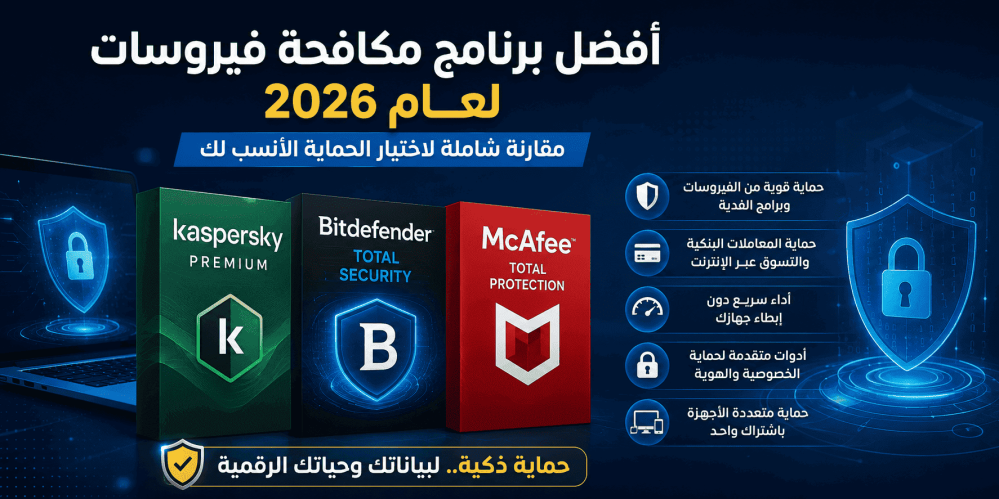
Best Antivirus Software in 2026: Kaspersky vs Bitdefender vs McAfee
Cyber threats have become more advanced than ever in 2026. Modern attacks no longer rely solely on traditional viruses—they now include ransomware, phishing campaigns, identity theft, and AI-powered malware designed to bypass conventional security tools.
If you're looking for the best antivirus software, you'll likely come across three industry leaders: Kaspersky, Bitdefender, and McAfee. In this guide, we'll compare their security features, performance, and extra tools to help you choose the right solution for your needs.
How to Choose the Right Antivirus Software
Before purchasing an antivirus, consider these five key factors:
- Threat detection rate and protection against emerging malware.
- System performance and its impact on your computer's speed.
- Online banking and payment protection for secure transactions.
- Extra features such as VPN, password manager, and identity protection.
- Ease of use and regular security updates.
Quick Comparison
| FeatureKasperskyBitdefenderMcAfee | |||
| Malware Detection | ⭐⭐⭐⭐⭐ | ⭐⭐⭐⭐⭐ | ⭐⭐⭐⭐☆ |
| Performance Impact | ⭐⭐⭐⭐☆ | ⭐⭐⭐⭐⭐ | ⭐⭐⭐⭐☆ |
| Online Banking Protection | ⭐⭐⭐⭐⭐ | ⭐⭐⭐⭐☆ | ⭐⭐⭐⭐☆ |
| Privacy Features | ⭐⭐⭐⭐☆ | ⭐⭐⭐⭐☆ | ⭐⭐⭐⭐⭐ |
| Best For | Financial Security | Fast Performance | Family & Identity Protection |
Kaspersky: Best for Online Banking Protection
Kaspersky is widely recognized for its powerful malware detection engine and advanced behavioral analysis. One of its standout features is Safe Money, which creates a secure environment for online banking and shopping, helping protect your financial information from cybercriminals.
Pros
- Excellent malware detection rates.
- Strong ransomware protection.
- Secure browser for online payments.
- Frequent security updates.
If you're looking for comprehensive protection with a genuine license, Kaspersky Premium is an excellent choice.
Bitdefender: Best Balance of Performance and Security
Bitdefender is known for delivering top-tier protection while keeping system resource usage to a minimum. Its AI-powered behavioral analysis helps detect unknown threats before they can cause damage, making it a favorite among gamers and professionals.
Pros
- Extremely lightweight on system resources.
- Excellent Zero-Day threat protection.
- Clean and user-friendly interface.
- Ideal for gaming and productivity.
If you need reliable protection for multiple devices without sacrificing performance, Bitdefender Total Security (3 Devices) is a great option.
McAfee: Best for Privacy and Identity Protection
McAfee goes beyond traditional antivirus protection by offering a complete security suite with tools designed to protect your digital identity and personal information. Features such as identity monitoring, password management, and Wi-Fi security make it an excellent choice for families and users with multiple devices.
Pros
- Advanced identity protection.
- Wi-Fi network monitoring.
- Multi-device security.
- Easy-to-use interface.
If you want an all-in-one security solution, consider McAfee Total Protection.
Is Windows Defender Enough?
Windows Defender has improved significantly over the years and provides solid protection for most everyday users.
If you mainly use your computer for:
- Web browsing.
- Office work.
- Streaming media.
- Downloading software from trusted sources.
Windows Defender may be sufficient.
However, if you frequently perform online banking, store sensitive data, manage multiple devices, or need features like a VPN and password manager, a premium antivirus solution offers additional layers of protection worth considering.
Avoid Pirated Antivirus Software
Downloading cracked antivirus software or activation tools from unofficial websites can expose your computer to serious security risks. These unofficial versions often contain malware, disable important security updates, and leave your system vulnerable to future attacks.
For the best protection, always use a genuine license to receive official updates, technical support, and the latest security features.
Which Antivirus Should You Choose?
| If you...Best Choice | |
| Frequently use online banking | Kaspersky |
| Want the best performance with strong protection | Bitdefender |
| Need privacy and identity protection | McAfee |
Final Verdict
All three antivirus solutions provide excellent protection, but the right choice depends on your priorities.
Choose Kaspersky if your main concern is secure online banking and financial transactions.
Choose Bitdefender if you want powerful protection with minimal impact on system performance.
Choose McAfee if you're looking for a complete security suite that includes identity protection, privacy tools, and multi-device coverage.
Whichever solution you choose, using a genuine license ensures continuous security updates, official support, and the highest level of protection against today's evolving cyber threats.
Frequently Asked Questions
Can I install more than one antivirus program?
No. Running multiple antivirus programs at the same time can cause conflicts, reduce performance, and weaken your overall protection.
Is Windows Defender good enough?
For basic everyday use, yes. However, premium antivirus software provides additional features such as secure banking, identity protection, VPN services, and password management.
Do antivirus programs slow down your computer?
Modern antivirus solutions are optimized for performance. Bitdefender, in particular, is known for having a very low impact on system resources.
Can I transfer my antivirus license to another computer?
It depends on the license type and the number of devices included in your subscription. Always check the licensing terms before purchasing.