
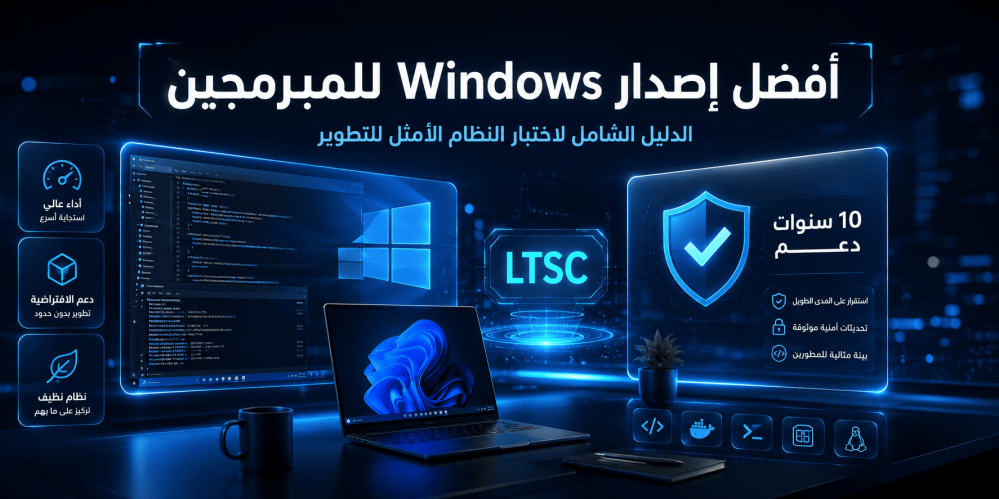
Best Windows Version for Programmers: The Comprehensive Guide to Choosing the Optimal Development System
When it comes to choosing the right operating system for programming and development, many programmers find themselves facing a real dilemma. While some prefer Linux systems for their flexibility and openness, Windows remains the first choice for a broad segment of developers, especially those working in integrated development environments that rely on Microsoft tools such as Visual Studio, .NET Framework, and Azure DevOps. But the most important question is not whether Windows is suitable for programming or not, but rather: what is the best Windows version for programmers specifically?
In this comprehensive guide, we will take you on a detailed journey to explore the various Windows editions available, with a focus on the needs of programmers and developers. We will compare different editions, explain the technical advantages that matter to a developer, and shine a spotlight on an edition that may not be well known to many but is considered an exceptional choice for professional programmers: Windows 11 IoT Enterprise LTSC 2024.
Why Does the Choice of Operating System Differ for Programmers?
Some may think that any Windows edition does the job as long as it runs a code editor and development tools. But the truth is that a programmer's needs differ fundamentally from those of an ordinary user. A programmer needs:
- High stability and consistent performance unaffected by sudden updates.
- A clean environment free of unnecessary programs and applications that consume system resources.
- Full control over system settings and update policies.
- Long-term support that ensures work continuity without the need for frequent upgrades.
- Excellent compatibility with various development tools such as Docker, WSL, and Virtual Machines.
- Optimized performance for running local servers, databases, and testing environments.
The edition you choose will directly impact your daily productivity, the stability of your work environment, and even your device's performance when running heavy tasks such as compiling, building containers, and running automated tests.
Comparison of Different Windows Editions for Programmers
To understand which edition is best, let us review the main available editions and analyze their suitability for programmers' needs.
Windows 11 Home
Windows 11 Home is the base edition that comes pre-installed on most consumer laptops and desktop computers.
Advantages for programmers:
- A modern and smooth user interface.
- Support for running most basic development tools.
- Relatively low cost.
Disadvantages for programmers:
- Lacks advanced features such as Hyper-V and Windows Sandbox.
- Does not support Remote Desktop Protocol (RDP) as a server.
- Does not support BitLocker for drive encryption.
- Mandatory updates that cannot be deferred for long periods.
- Contains pre-installed bloatware applications and programs.
- Limited Group Policy settings.
Verdict: Windows 11 Home may be sufficient for beginners or students learning programming, but it is not the optimal choice for professional programmers.
Windows 11 Pro
Windows 11 Pro is the logical upgrade from the Home edition and is the most common choice among programmers and developers.
Advantages for programmers:
- Hyper-V support for running virtual machines.
- Windows Sandbox support for testing applications in an isolated environment.
- Remote Desktop Protocol (RDP) support.
- BitLocker support for data encryption.
- Ability to join Azure Active Directory.
- Greater control over update policies via Group Policy.
- Windows Subsystem for Linux (WSL 2) support.
Disadvantages for programmers:
- Still contains some bloatware applications.
- Semi-annual updates may sometimes cause instability.
- Higher resource consumption compared to lightweight editions.
Verdict: Windows 11 Pro is an excellent choice for most programmers, but it is not the best in terms of long-term stability.
Windows 11 Enterprise
Windows 11 Enterprise is aimed at large companies and organizations and includes all Pro features plus advanced device management and security tools.
Additional advantages:
- Microsoft Defender for Endpoint.
- AppLocker for controlling which applications are allowed to run.
- DirectAccess for secure connection to the organization's network.
- Universal Print.
- Advanced control over telemetry and privacy.
Disadvantages:
- Requires Volume Licensing.
- Not easily available for individual purchase.
- Still subject to semi-annual updates.
Windows 11 IoT Enterprise LTSC 2024
This is the edition that deserves an extended pause. Windows 11 IoT Enterprise LTSC 2024 is fundamentally different from all previous editions. LTSC stands for Long-Term Servicing Channel, a long-term servicing channel designed for devices that require absolute stability and security updates only without any feature changes.
This edition is what we will focus on in detail in this guide, because it is quite simply the best Windows version for programmers seeking performance, stability, and full control.
What Is Windows LTSC and Why Is It Important for Programmers?
To understand the importance of the LTSC edition, you must first understand the difference between the various update channels offered by Microsoft:
| Channel | Update Type | Frequency | New Features | |
| Semi-Annual Channel (SAC) | Security updates + Feature updates | Approximately every 6 months | Yes, regularly | |
| Long-Term Servicing Channel (LTSC) | Security updates only | Monthly | No, for 10 years |
The LTSC edition is released approximately once every two to three years and receives monthly security updates for a full 10 years without any change in features or functionality. This means:
- No sudden updates that change the user interface.
- No new features that may break the compatibility of your tools.
- No forced restarts due to feature updates.
- A completely stable work environment for many years.
Why Is This Important for a Programmer?
Imagine you are working on a large project, and you have fine-tuned your development environment precisely: specific versions of Node.js, Python, Docker, and WSL, along with particular PATH and Environment Variables settings. Suddenly, a semi-annual update from Microsoft arrives, changing system settings or adding a new feature that conflicts with one of your tools. The result? Hours of repair and reconfiguration.
With the LTSC edition, this problem does not exist. The system stays as it is, stable and consistent, for a full decade.
Windows 11 IoT Enterprise LTSC 2024: The Optimal Edition for Programmers
Windows 11 IoT Enterprise LTSC 2024 is built on Windows 11 version 24H2, the latest release from Microsoft's Long-Term Servicing Channel. This edition was originally designed for specialized devices such as ATMs, self-service kiosks, and medical devices, but it has become a preferred choice for professional programmers seeking a clean, stable, and hassle-free operating system.
Key Features
Windows 11 IoT Enterprise LTSC 2024 boasts a set of characteristics that make it the optimal choice for programmers:
- A completely clean system: Contains no bloatware applications such as Candy Crush, TikTok, or other pre-installed consumer applications.
- No Microsoft Store installed by default: It can be installed later if you need it, but it is not present by default.
- No Cortana assistant: The system is completely free of the voice assistant.
- Full control over Telemetry: Diagnostic data sent to Microsoft can be reduced to the minimum.
- Full support for Hyper-V, WSL 2, and Windows Sandbox: All advanced development tools are supported.
- Security updates for 10 years: Long-term support ensures work continuity.
- No forced feature updates: The system stays as it is, without unexpected changes.
- Lower resource consumption: Thanks to the absence of unnecessary applications and services, the system runs with noticeable lightness.
Performance and Stability
One of the most prominent features of Windows 11 IoT Enterprise LTSC 2024 is its enhanced performance. When installing the system on a clean device, you will notice:
- A significantly lower number of background processes compared to Home and Pro editions.
- Lower RAM consumption.
- Lower CPU consumption in idle mode.
- Faster system boot.
- Less storage space consumed after a clean installation.
These advantages translate directly into additional resources available for your development tools, meaning:
- Faster code compilation.
- Smoother container operation.
- Better virtual machine performance.
- A more responsive development experience overall.
A Clean Development Environment
The professional programmer knows the value of starting from scratch. With Windows 11 IoT Enterprise LTSC 2024, you start with a clean operating system, then install only what you need:
- Visual Studio or VS Code.
- Git.
- Docker Desktop.
- Node.js, Python, or any language you need.
- WSL 2 with your preferred Linux distribution.
- Local databases such as SQL Server or PostgreSQL.
Nothing else. No unwanted applications, no background services consuming resources unnecessarily.
Advantages of Windows 11 IoT Enterprise LTSC 2024 for Programmers
Let us dive deeper into the technical advantages that make this edition the optimal choice for programmers:
1. Full Support for Virtualization Technologies
Whether you use Hyper-V, VMware, or VirtualBox, Windows 11 IoT Enterprise LTSC 2024 provides full support for virtualization technologies. This is essential for programmers who:
- Test their applications on different operating systems.
- Use Docker to run containers.
- Need isolated environments for development and testing.
2. Excellent Integration with Windows Subsystem for Linux (WSL 2)
WSL 2 is one of the most important tools in any Windows-using programmer's arsenal. It allows you to run a full Linux kernel inside Windows, giving you:
- Access to native Linux tools.
- Running Linux servers locally.
- Easy cross-platform application development.
- Excellent file system performance between Windows and Linux.
With the LTSC edition, you get WSL 2 without any interference from unexpected updates that might break compatibility.
3. Windows Sandbox for Safe Testing
Windows Sandbox allows you to run untrusted applications in a completely isolated environment that disappears as soon as you close it. This is extremely useful for programmers who:
- Test unknown code or libraries.
- Need a clean environment to test installations.
- Want to open suspicious files without risk.
4. Advanced Update Control
Unlike Home and Pro editions, the LTSC edition gives you near-complete control over the update process:
- You can defer security updates for longer periods.
- There are no forced feature updates at all.
- You can schedule updates at times that suit you.
5. Enhanced Security
Windows 11 IoT Enterprise LTSC 2024 comes with:
- BitLocker for drive encryption.
- Windows Defender Antivirus.
- Secure Boot.
- TPM 2.0.
- Credential Guard.
All these features protect your code, data, and projects from security threats.
Drawbacks to Consider
To be fair, there are some points you should take into account before choosing Windows 11 IoT Enterprise LTSC 2024:
1. No Microsoft Store by Default
If you rely on applications from the Microsoft Store such as Windows Terminal or some development tools, you will need to install the Store manually. This is not difficult, but it is an extra step.
2. Absence of Some Consumer Applications
Applications such as Photos, Video, and Music may not be installed by default. For a programmer, this may be an advantage rather than a drawback, but it is worth mentioning.
3. Availability and Licensing
LTSC editions are not typically sold through traditional retail channels. You need to obtain them from authorized distributors. But the good news is that the Active Key store provides this edition with a genuine license at a reasonable price.
4. No New Features
If you are a fan of experiencing the latest Windows features as soon as they are released, the LTSC edition is not for you. But for a programmer who prefers stability over constant renewal, this is an advantage, not a drawback.
Comprehensive Comparison: Windows 11 Pro vs Windows 11 IoT Enterprise LTSC 2024
To clarify the differences practically, here is a comprehensive comparison table between the two most common editions among programmers:
| Feature | Windows 11 Pro | Windows 11 IoT Enterprise LTSC 2024 | |
| Pre-installed applications | Contains bloatware | Completely clean system | |
| Cortana | Installed by default | Not present | |
| Microsoft Store | Installed by default | Not installed (can be added) | |
| Feature updates | Semi-annual (mandatory) | None | |
| Security updates | Ongoing | Ongoing for 10 years | |
| Hyper-V | Supported | Supported | |
| WSL 2 | Supported | Supported | |
| Windows Sandbox | Supported | Supported | |
| BitLocker | Supported | Supported | |
| Remote Desktop | Supported | Supported | |
| Group Policy | Supported | Fully supported | |
| RAM consumption in idle | ~2.5-3.5 GB | ~1.5-2.5 GB | |
| Number of background processes | High | Low | |
| Support lifecycle | 24 months (for consumer editions) | 10 years | |
| Telemetry control | Limited | Advanced | |
| AppLocker | Not supported | Supported |
As the table clearly shows, Windows 11 IoT Enterprise LTSC 2024 excels in every aspect that matters to the professional programmer.
How to Choose the Right Edition Based on Your Programming Specialty
Not all programmers are alike, and choosing the right edition may vary depending on your area of expertise:
.NET and C# Application Developers
If you work primarily in a Microsoft environment (Visual Studio, .NET, Azure), then Windows 11 IoT Enterprise LTSC 2024 is the optimal choice. Long-term stability means your large projects will not be affected by sudden updates.
Web Developers (JavaScript, Python, PHP, Ruby)
If you use VS Code, WSL 2, and Docker on a daily basis, LTSC gives you a clean and stable environment with excellent performance for running containers and local servers.
Android and iOS App Developers
If you use Android Studio or Xcode (via a virtual Mac), the enhanced performance and lower resource consumption of the LTSC edition will give you a smoother experience.
Game Developers
If you use Unity or Unreal Engine, the system's stability and absence of sudden updates mean your massive projects will not be disrupted by unexpected system changes.
Programming Students and Beginners
If you are at the beginning of your journey, Windows 11 Pro may be sufficient for your needs. But if you plan to continue programming seriously, investing in the LTSC edition from the start will save you a lot of trouble later on.
Tips for Programmers When Installing Windows
Regardless of the edition you choose, here is a set of practical tips to optimize your development environment:
1. Perform a Clean Install
Do not rely on upgrading from an older edition. Always perform a clean installation of the system to ensure the best performance and stability.
2. Enable WSL 2 Immediately
After installing the system, enable WSL 2 and install your preferred Linux distribution. This will provide you with an integrated development environment.
3. Use Windows Terminal
Windows Terminal is the best terminal emulator on Windows. Install it immediately and use it as your primary interface for interacting with PowerShell, WSL, and Command Prompt.
4. Install the Winget Package Manager
Winget is the official package manager from Microsoft. Use it to install development tools quickly and easily:
winget install Git.Git
winget install Microsoft.VisualStudioCode
winget install Docker.DockerDesktop
5. Adjust Power Settings for High Performance
Make sure to set the power plan to "High Performance" or "Ultimate Performance" for the best performance during development.
6. Use Git with GPG Signing
Set up Git with GPG signing to ensure the security and integrity of your commits.
7. Make Regular Backups
Use tools such as File History or external solutions to make regular backups of your code and projects.
8. Keep Drivers Updated
Updated drivers ensure the best system performance and stability, especially if you use graphics cards for gaming or machine learning.
Conclusion: What Is the Best Windows Version for Programmers?
After this detailed analysis, we can confidently say that Windows 11 IoT Enterprise LTSC 2024 is the best Windows version for professional programmers seeking:
- Absolute stability for their projects.
- Enhanced performance with lower resource consumption.
- A clean environment free of unnecessary applications.
- Full control over system updates.
- Long-term support of up to 10 years.
If you are a serious programmer looking for an operating system that serves you rather than disrupts you, then Windows 11 IoT Enterprise LTSC 2024 is the choice worth investing in.
Frequently Asked Questions
1. Can all development tools run on Windows 11 IoT Enterprise LTSC 2024?
Yes, all major development tools work fully on this edition, including Visual Studio, VS Code, Docker, WSL 2, Android Studio, IntelliJ IDEA, and all popular programming languages. The edition is built on the same Windows 11 kernel, so compatibility is excellent.
2. What is the difference between Windows 11 Enterprise and Windows 11 IoT Enterprise LTSC?
The fundamental difference is the update channel. The regular Enterprise edition follows the Semi-Annual Channel and receives feature updates every 6 months, while the IoT Enterprise LTSC edition follows the Long-Term Servicing Channel and receives no feature updates, only security updates for 10 years.
3. Do I need a special license to use Windows 11 IoT Enterprise LTSC 2024?
Yes, you need a license specific to this edition. You cannot use a Windows 11 Pro or Home license to activate it. You can obtain a genuine license from the Active Key store.
4. Can I install the Microsoft Store on the LTSC edition?
Yes, you can manually install the Microsoft Store on the LTSC edition if you need it. The process is simple and done via PowerShell.
5. Does Windows 11 IoT Enterprise LTSC 2024 support gaming?
Yes, it fully supports gaming. However, keep in mind that this edition does not receive feature updates, meaning some new gaming-related features (such as new DirectX improvements) may not be available until the next LTSC release.
6. How many devices can I activate with a single license?
A Windows 11 IoT Enterprise LTSC 2024 license is for a single device. If you need to install it on multiple devices, you will need separate licenses for each device.
7. Can I upgrade from Windows 10 LTSC to Windows 11 IoT Enterprise LTSC 2024?
Yes, you can upgrade from Windows 10 LTSC to Windows 11 IoT Enterprise LTSC 2024, but a clean installation is always preferred for the best performance.
8. Does Windows 11 IoT Enterprise LTSC 2024 support TPM 2.0?
Yes, it fully supports TPM 2.0, and it is required for installation like all Windows 11 editions.
9. What is the support duration for Windows 11 IoT Enterprise LTSC 2024?
The official support duration is 10 years from the release date, meaning you will receive monthly security updates until 2034.
10. Can I use Windows 11 IoT Enterprise LTSC 2024 to develop iOS applications?
You can use it to develop iOS applications via tools such as React Native or Flutter, but to build and publish applications on the App Store, you will need a Mac device (physical or virtual) to run Xcode.
11. Is the LTSC edition actually faster than the Pro edition?
Yes, noticeably. Due to the absence of unnecessary applications and services, resource consumption is lower, leaving more room for development tools to operate more efficiently.
12. Can I use Windows Hello with the LTSC edition?
Yes, Windows Hello is fully supported in Windows
11 IoT Enterprise LTSC 2024, including facial recognition, fingerprint, and PIN.
Suggested Products
If you are convinced that Windows 11 IoT Enterprise LTSC 2024 is the optimal choice for your development environment, you can obtain a genuine license from the Active Key store:
- Windows 11 IoT Enterprise LTSC 2024 — A genuine license that gives you a clean and stable operating system with long-term support for 10 years, the optimal choice for professional programmers seeking the best performance and stability.
Related Articles
- How to Install Windows 11 Step by Step
- The Difference Between Windows 11 Home and Pro: Which One Is Right for You?
- What Is Windows LTSC? The Comprehensive Guide
- A Guide to Activating Windows 11 with a Genuine License
- Best Windows 11 Settings to Improve Performance