
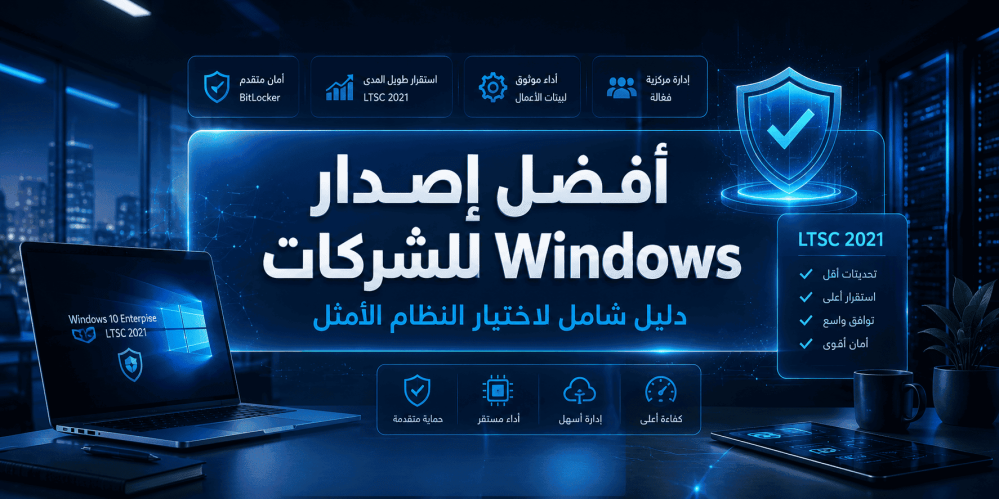
Best Windows Edition for Business: A Comprehensive Guide to Choosing the Optimal System
When it comes to selecting the right operating system for a business environment, the decision cannot be made based on home-user criteria. Companies need operating systems that offer advanced levels of security, stability, centralized management, and compatibility with professional applications. This raises the fundamental question: what is the best Windows edition for business?
In this comprehensive guide, we will review all Windows editions designed for the business sector, compare them in terms of features, performance, and cost, and highlight the edition that delivers the highest value for companies of all sizes. Whether you run a small business or a large enterprise, this article provides the information you need to make the right decision.
The Difference Between Windows Home Editions and Business Editions
Before diving into the details of Windows business editions, it is important to understand the fundamental differences between home editions and business editions. This understanding will help you see why editions like Windows Home are insufficient for workplace needs.
Windows Home Editions
Home editions are designed for everyday users and include basic features such as:
- Support for daily applications and web browsing
- Windows Hello for basic biometric authentication
- Windows Defender for basic protection
- Gaming and entertainment support
However, these editions lack many features critical for businesses, such as:
- Domain Join: A device running the Home edition cannot be joined to Active Directory.
- Group Policy: The absence of this tool means centralized security and administrative policies cannot be applied.
- BitLocker: The disk encryption tool is not available in the Home edition.
- Remote Desktop: The device cannot be used as a Remote Desktop host.
- Hyper-V: The virtualization technology is not supported.
Windows Business Editions
Windows editions designed for businesses — such as Pro, Enterprise, and LTSC — are built from the ground up to meet workplace requirements. They provide:
- Advanced centralized management via Active Directory and Azure AD
- Full data encryption using BitLocker
- Virtualization support via Hyper-V
- Advanced security options such as Windows Defender Credential Guard and Application Guard
- The ability to defer updates or exercise full control over them
- Support for mass deployment technologies and silent installation
These features make Windows business editions the only logical choice for any work environment, regardless of its size.
An Overview of Windows Editions Designed for Business
Microsoft offers several editions targeted at the business sector. Each edition has its own characteristics and ideal use cases. Let us review them in detail.
Windows 10 Pro
Windows 10 Pro is the foundational edition for small and medium-sized businesses. This edition offers a good balance between cost and features, and includes:
- Domain join to Active Directory or Azure AD
- BitLocker for disk encryption
- Remote Desktop
- Hyper-V
- Windows Sandbox
- Group Policy management
Suitable for: Small and medium-sized businesses that do not require advanced security features such as Credential Guard or AppLocker.
Windows 10 Enterprise
The Enterprise edition is the pinnacle of the Windows 10 lineup. This edition adds advanced layers of security and management on top of everything the Pro edition offers:
- AppLocker: Control over which applications are allowed to run
- DirectAccess: Always-on, secure VPN connection
- BranchCache: Improved performance for branch office networks
- Credential Guard: Protection of credentials from attacks
- Application Guard: Running the browser in an isolated container
- Microsoft Defender for Endpoint: Advanced threat protection
Suitable for: Large enterprises that require the highest levels of security and management.
Windows 10 Enterprise LTSC
The LTSC (Long-Term Servicing Channel) edition is a special edition of Windows 10 Enterprise. This edition is designed for systems that require absolute stability and feature consistency over long periods. Its key characteristics:
- No feature updates: Only security updates and critical patches
- Free of unnecessary applications: Does not include Microsoft Store, Cortana, or Edge by default
- Long-term support: Up to 5 years of mainstream support
- Exceptional stability: Ideal for mission-critical systems
Suitable for: Medical devices, point-of-sale (POS) systems, industrial control systems, and devices that cannot tolerate frequent changes.
Windows 11 Pro
With the launch of Windows 11, Microsoft introduced significant improvements in user interface and security. The Pro edition of Windows 11 adds:
- Strict security requirements (TPM 2.0 and Secure Boot are mandatory)
- An improved user interface
- Better multitasking support
- Deeper integration with Microsoft Teams
- Kernel-level security enhancements
Suitable for: Businesses that want the latest technology and can meet the hardware requirements.
Windows 11 Enterprise
Similar to Windows 10 Enterprise, Windows 11 Enterprise provides all Pro features plus advanced security and management tools. This edition is the ideal choice for organizations adopting Windows 11.
What Is Windows LTSC?
To understand the importance of Windows 10 Enterprise LTSC 2021, we must delve deeper into the LTSC concept itself.
Definition of the Long-Term Servicing Channel (LTSC)
LTSC stands for Long-Term Servicing Channel, a special update channel from Microsoft designed for devices and systems where stability and functional consistency are more important than receiving the latest features.
In the regular update channel (Semi-Annual Channel), devices receive major feature updates twice a year. These updates may change system behavior, add new features, or remove old ones. For most users, this is acceptable and even desirable. But for systems such as:
- Medical imaging devices (MRI, CT)
- Industrial control systems (SCADA)
- Point-of-sale (POS) devices
- Automated teller machines (ATMs)
- Security surveillance systems
Any unexpected change in the system could cause equipment failure or disrupt critical operations. This is where LTSC comes in.
How LTSC Works
LTSC editions:
- Are released approximately once every 2–3 years
- Receive monthly security updates for 5 years (mainstream support) or 10 years (extended support)
- Receive no feature updates throughout the support period
- Contain a minimal set of built-in applications
This means that a system running an LTSC edition will remain the same — with the same features and the same behavior — for many years, while continuing to receive security updates.
Available LTSC Editions
As of the writing of this article, the main LTSC editions are:
| Edition | Release Year | End of Mainstream Support | |
| Windows 10 Enterprise LTSC 2019 | 2018 | 2024 | |
| Windows 10 Enterprise LTSC 2021 | 2021 | 2027 | |
| Windows 11 Enterprise LTSC 2024 | 2024 | 2029 |
Features of Windows 10 Enterprise LTSC 2021
Now that we understand the LTSC concept, let us review in detail the features of Windows 10 Enterprise LTSC 2021 and why many consider it the best Windows edition for businesses seeking stability.
1. Unmatched Stability
The most important feature of this edition is absolute stability. There are no surprise feature updates, no user interface changes, and no unexpected additions. The system works today exactly as it will work three years from now — with the same performance and the same behavior.
2. Continuous Security Without Disruption
While LTSC does not receive feature updates, it continues to receive monthly security updates. This means your system remains protected against the latest threats without risking operational disruption due to a major update.
3. A Clean System Free of Unnecessary Applications
The LTSC 2021 edition does not include:
- Microsoft Store
- Cortana assistant
- Microsoft Edge browser (can be installed manually if needed)
- Non-essential built-in Windows applications
This means:
- Lower system resource consumption
- More storage space available for actual applications
- A smaller attack surface (fewer applications mean fewer vulnerabilities)
4. Improved Performance
Thanks to the absence of unnecessary applications and services, LTSC 2021 delivers better performance compared to regular Windows 10 editions. This improved performance is especially noticeable on devices with limited resources or older hardware.
5. Full Control Over Updates
In regular Windows editions, you may find yourself forced to install feature updates at inconvenient times. With LTSC, you have full control over security updates — you can schedule or defer them according to your business needs.
6. Long-Term Support
Windows 10 Enterprise LTSC 2021 enjoys mainstream support until January 12, 2027, giving businesses peace of mind for years to come.
7. Ideal for Mission-Critical Systems
If your business relies on specialized applications or specific hardware that cannot tolerate frequent changes, LTSC is the only choice that guarantees business continuity without surprises.
Comprehensive Comparison of Windows Business Editions
To help you make a decision, here is a comprehensive comparison table of the most prominent Windows editions for business:
| Feature | Windows 10 Pro | Windows 10 Enterprise | Windows 10 Enterprise LTSC 2021 | Windows 11 Pro | Windows 11 Enterprise | |
| Domain Join | ✅ | ✅ | ✅ | ✅ | ✅ | |
| BitLocker | ✅ | ✅ | ✅ | ✅ | ✅ | |
| Remote Desktop | ✅ | ✅ | ✅ | ✅ | ✅ | |
| Hyper-V | ✅ | ✅ | ✅ | ✅ | ✅ | |
| Windows Sandbox | ✅ | ✅ | ❌ | ✅ | ✅ | |
| AppLocker | ❌ | ✅ | ✅ | ❌ | ✅ | |
| Credential Guard | ❌ | ✅ | ✅ | ❌ | ✅ | |
| Application Guard | ❌ | ✅ | ✅ | ❌ | ✅ | |
| DirectAccess | ❌ | ✅ | ✅ | ❌ | ✅ | |
| BranchCache | ❌ | ✅ | ✅ | ❌ | ✅ | |
| Microsoft Store | ✅ | ✅ | ❌ | ✅ | ✅ | |
| Cortana | ✅ | ✅ | ❌ | ✅ | ✅ | |
| Feature Updates | Semi-annual | Semi-annual | None | Semi-annual | Semi-annual | |
| Security Updates | Monthly | Monthly | Monthly | Monthly | Monthly | |
| Mainstream Support Duration | 18–30 months | 18–30 months | 5 years | 24–36 months | 24–36 months | |
| TPM 2.0 Requirement | Not mandatory | Not mandatory | Not mandatory | Mandatory | Mandatory | |
| System Resource Consumption | Moderate | Moderate | Low | High | High | |
| Suitable for Critical Systems | ❌ | Limited | ✅ | ❌ | Limited |
Why Is Windows 10 Enterprise LTSC 2021 the Optimal Choice for Businesses?
After reviewing all the options, Windows 10 Enterprise LTSC 2021 stands out as one of the best choices — if not the best — for many businesses. Here is why:
For Businesses That Rely on Stability
In environments such as hospitals, factories, and banks, a sudden update could cause systems worth millions of dollars to fail. LTSC eliminates this risk entirely.
For Businesses with Limited IT Infrastructure
If your company does not have a large IT team to test every update before deployment, LTSC spares you the hassle of dealing with frequent feature updates.
For Businesses Using Older or Specialized Hardware
Devices running on limited resources or relying on custom drivers benefit greatly from LTSC's stability.
For Businesses That Care About Security Without Complexity
You get all the advanced security features of the Enterprise edition, with a reduced attack surface thanks to the removal of unnecessary applications.
How to Choose the Right Windows Edition for Your Business
No single edition suits all businesses. Here is a quick guide to help you choose:
Choose Windows 10/11 Pro If:
- You run a small or medium-sized business
- You do not need advanced security features such as AppLocker or Credential Guard
- Your budget is limited
- You can handle periodic feature updates
Choose Windows 10/11 Enterprise If:
- You run a large organization
- You need the highest levels of security
- You have a dedicated IT team
- You need advanced management tools
Choose Windows 10 Enterprise LTSC 2021 If:
- Stability is your top priority
- You manage critical systems that cannot tolerate downtime
- You do not need the Microsoft Store or UWP applications
- You want a clean system with improved performance
- You plan to use the system for years without major changes
Windows Updates for Business: Management Strategies
Managing updates in a business environment is entirely different from managing them on home devices. Here are best practices:
1. Use Windows Server Update Services (WSUS)
WSUS gives you full control over which updates reach company devices. You can:
- Approve or reject specific updates
- Schedule updates at convenient times
- Test updates on a small group before general deployment
2. Use Microsoft Endpoint Configuration Manager
For large enterprises, Configuration Manager (formerly known as SCCM) provides advanced capabilities for update management and deployment.
3. Defer Updates
In Pro and Enterprise editions, you can defer feature updates for up to 365 days, giving you enough time to test compatibility.
4. LTSC: The Ultimate Solution
If deferral strategies are insufficient, LTSC is the ideal solution — no feature updates at all, only security updates.
Security in Windows Business Editions
Security is one of the most important factors differentiating Windows home editions from business editions. Let us review the most prominent security features available:
BitLocker Drive Encryption
Full disk encryption that protects data even if the device is stolen. Available in all Pro, Enterprise, and LTSC editions.
Windows Defender Credential Guard
Protects credentials stored on the device using virtualization technology. Available only in Enterprise and LTSC editions.
Windows Defender Application Guard
Runs the Edge browser in an isolated container (Hyper-V) to prevent any attack from reaching the host system. Available in Enterprise and LTSC.
AppLocker
Allows administrators to specify which applications are allowed to run on company devices, preventing the execution of malicious or unauthorized software.
Microsoft Defender for Endpoint
An integrated threat detection and response platform powered by artificial intelligence. Integrates with Enterprise editions.
Cost and Licensing: What You Need to Know
When choosing a Windows edition for your business, cost is an important factor. Here is an overview:
Retail Licenses
- Suitable for small businesses
- Can be transferred between devices
- Higher upfront cost but no recurring commitments
OEM Licenses
- Come pre-installed on new devices
- Non-transferable to other devices
- The least expensive option
Volume Licensing
- Suitable for large enterprises
- Provides flexibility in deployment and management
- Requires a minimum number of licenses
Tip: If you are looking for a genuine and reliable license for the Enterprise LTSC edition, make sure to purchase from an authorized source to ensure you receive a legal license and ongoing security updates.
Real-World Scenarios: Which Edition Should You Choose?
Scenario 1: A Small Law Firm (10 Employees)
Needs: Client data security, ease of management, reasonable cost.
Recommendation: Windows 10 Pro or Windows 11 Pro.
BitLocker is sufficient for data encryption, and Azure AD join enables simple management.
Scenario 2: A Manufacturing Plant (50 Devices)
Needs: System stability, compatibility with industrial control software, zero tolerance for downtime.
Recommendation: Windows 10 Enterprise LTSC 2021.
Absolute stability and the absence of surprise updates make it the only logical choice.
Scenario 3: A Tech Startup (200 Employees)
Needs: Latest technology, advanced security, flexibility.
Recommendation: Windows 11 Enterprise.
Tech companies need the latest features and can handle periodic updates.
Scenario 4: A Hospital (500 Devices)
Needs: Absolute stability, patient data security, compatibility with medical devices.
Recommendation: Windows 10 Enterprise LTSC 2021.
In a healthcare environment, stability is not a luxury — it is a necessity.
Common Mistakes When Choosing a Windows Edition for Business
1. Choosing the Home Edition for Commercial Use
This is the most common mistake. The Home edition lacks essential features such as domain join and BitLocker, exposing the company to security and administrative risks.
2. Ignoring Hardware Requirements
Windows 11 requires TPM 2.0 and Secure Boot. If your devices do not support these requirements, you need Windows 10.
3. Failing to Plan for the System Lifecycle
Some companies choose an edition without considering its support duration. Make sure you know when support for your chosen edition will end.
4. Confusing LTSC with Regular Editions
Some administrators think LTSC is just an Enterprise edition without updates. In reality, LTSC is fundamentally different — it does not include the Microsoft Store and does not support some modern applications.
5. Excessive Cost-Cutting on Licenses
Buying cheap licenses from unreliable sources can lead to legal and technical problems. Genuine licenses ensure you receive updates and support.
Conclusion
Choosing the best Windows edition for business depends on the nature of your work and your specific needs. However, if stability, security, and performance are your priorities — as is the case for most businesses — then Windows 10 Enterprise LTSC 2021 offers exceptional value that is hard to ignore.
It combines:
- Full Enterprise edition security
- Unmatched stability thanks to the absence of feature updates
- Improved performance thanks to the removal of unnecessary applications
- Long-term support until 2027
Whether you run a medical clinic, a factory, a law firm, or any environment where uninterrupted business continuity is critically important, Windows 10 Enterprise LTSC 2021 is the choice worth investing in.